Skip to content
Small hexes

Enhanced CAD Data Translation Capabilities

3D InterOp is the industry-leading 3D CAD data translation software development toolkit, designed to exchange visualization, exact B-rep geometry and metadata from various CAD formats.

Enable your customers to work with imported CAD data as if created natively in your own application and export the data for downstream engineering applications. 3D InterOp’s architecture enables users to optimize their interaction with 2D and 3D data. It supports file sharing between all major 3D/CAD data exchange formats required in leading engineering applications and CAD/CAM data exchange for any modeler, including 3D ACIS Modeler, CGM Modeler and Parasolid.

Developers leveraging 3D InterOp benefit from a solution proven by more than 300 companies for over 20 years.

interopimg2
interOp3

Supported formats by
3D Interop SDK

3D InterOp reads and writes over 30 CAD, BIM, mesh, and visualization formats.

Use the filter to narrow by vendor or browse the full list below.

Format Read Write Details
CATIA V5 .CATPart, .CATProduct
Read
Write

What 3D InterOp reads

Product structure
Yes
Exact B-rep
Yes
Mesh
Stored in the file
PMI
Semantic and graphical

V5 R8 to V5-6 R2026. Captures aren't read from CATProduct assemblies.

What 3D InterOp writes

Product structure
Yes
Exact B-rep
Yes
Mesh
Yes
PMI
No

V5 R15 to V5-6 R2026 (.CATPart, .CATProduct, .cgr). Assemblies can't reference files in other formats.

More about CATIA V5 →
CGR .cgr
Read
Visualization
WriteVisualization

What 3D InterOp reads

Product structure
No
Exact B-rep
No
Mesh
Stored in the file
PMI
No

Read with the CATIA V5 reader.

What 3D InterOp writes

Product structure
No
Exact B-rep
No
Mesh
Yes
PMI
No

Written by the CATIA V5 writer.

More about CGR →
CATIA V5 Drawing .CATDrawing
Read
Drawings
—

What 3D InterOp reads

Product structure
Yes
Exact B-rep
No
Mesh
2D drawing views (visualization)
PMI
No

2D drawing sheets as visualization data, V5 R8 to V5-6 R2026.

What 3D InterOp writes

3D InterOp doesn’t write this format.

More about CATIA V5 Drawing →
3DEXPERIENCE (CATIA V6) Exported .CATPart, .CATProduct, .cgr, .3dxml
Read
Exported files
—

What 3D InterOp reads

Product structure
Yes
Exact B-rep
Yes
Mesh
Stored in the file
PMI
Semantic and graphical

3DEXPERIENCE has no file format of its own: models exported as CATPart, CATProduct, cgr, CATDrawing, XCGM or 3D XML are read, up to V6 R2026x.

What 3D InterOp writes

3D InterOp doesn’t write this format.

More about 3DEXPERIENCE (CATIA V6) →
CATIA V4 .model, .exp, .session
Read
WriteParts (.model)

What 3D InterOp reads

Product structure
Yes
Exact B-rep
Yes
Mesh
Generated from the B-rep
PMI
No

CATIA 4.1.9 to 4.2.4. The format has no PMI.

What 3D InterOp writes

Product structure
No
Exact B-rep
Yes
Mesh
Not documented
PMI
No

CATIA 4.1.9 to 4.2.4, parts only: flatten assemblies before export. Not available in 3D InterOp CGM.

More about CATIA V4 →
SOLIDWORKS .sldprt, .sldasm
Read
—

What 3D InterOp reads

Product structure
Yes
Exact B-rep
Yes
Mesh
Stored in the file
PMI
Semantic and graphical

SOLIDWORKS 98 to 2026. Semantic PMI (DimXpert) and graphical PMI from SOLIDWORKS 2014.

What 3D InterOp writes

3D InterOp doesn’t write this format.

More about SOLIDWORKS →
SOLIDWORKS Drawing .slddrw
Read
Drawings
—

What 3D InterOp reads

Product structure
Yes
Exact B-rep
No
Mesh
2D drawing views (visualization)
PMI
No

2D drawing sheets as visualization data, SOLIDWORKS 2013 to 2026.

What 3D InterOp writes

3D InterOp doesn’t write this format.

More about SOLIDWORKS Drawing →
3D XML .3dxml
Read
Tessellated
WriteTessellated

What 3D InterOp reads

Product structure
Yes
Exact B-rep
No
Mesh
Stored in the file
PMI
Graphical

3D XML 4.0 to 4.3. B-rep stored in authoring-mode files isn't imported.

What 3D InterOp writes

Product structure
Yes
Exact B-rep
No
Mesh
Yes
PMI
Graphical

3D XML 4.3, static tessellation, with graphical PMI. Use XCGM when B-rep is needed.

More about 3D XML →
XCGM .xcgm
Read
Write

What 3D InterOp reads

Product structure
Yes
Exact B-rep
Yes
Mesh
Stored in the file
PMI
Semantic

R2012 to 2025 1.0. Semantic PMI comes with its linked B-rep entities.

What 3D InterOp writes

Product structure
Yes
Exact B-rep
Yes
Mesh
Yes
PMI
No

R2012 to 2025 1.0. PMI and miscellaneous data aren't written.

More about XCGM →
ACIS .sat, .sab, .asat, .asab
Read
Write

What 3D InterOp reads

Product structure
Yes
Exact B-rep
Yes
Mesh
Generated from the B-rep
PMI
No

ACIS R1 to 2026 1.0. Assembly-level PMI isn't read.

What 3D InterOp writes

Product structure
Yes
Exact B-rep
Yes
Mesh
Not documented
PMI
Partial

ACIS R18 to 2026 1.0. Assembly-level PMI can be written as attributes.

More about ACIS →
NX .prt
Read
—

What 3D InterOp reads

Product structure
Yes
Exact B-rep
Yes
Mesh
Stored in the file
PMI
Semantic and graphical

NX 11 to NX 2606 (NX Direct: NX 1 to NX 2606). Graphical PMI from NX 6.

What 3D InterOp writes

3D InterOp doesn’t write this format.

More about NX →
NX Drawing .prt
Read
Drawings
—

What 3D InterOp reads

Product structure
Yes
Exact B-rep
No
Mesh
2D drawing views (visualization)
PMI
No

2D drawing sheets as visualization data, NX 2412 to NX 2512. UConnect only.

What 3D InterOp writes

3D InterOp doesn’t write this format.

More about NX Drawing →
Solid Edge .par, .asm, .psm
Read
—

What 3D InterOp reads

Product structure
Yes
Exact B-rep
Yes
Mesh
Stored in the file
PMI
No

Solid Edge V18 to SE 2026. PMI isn't imported.

What 3D InterOp writes

3D InterOp doesn’t write this format.

More about Solid Edge →
JT .jt
Read
—

What 3D InterOp reads

Product structure
Yes
Exact B-rep
Yes
Mesh
Stored in the file
PMI
Semantic and graphical

JT 8.x to 10.3 and 10.5 to 10.11. Semantic PMI on parts from 10.2 and on assemblies from 10.10.

What 3D InterOp writes

3D InterOp doesn’t write this format.

More about JT →
Parasolid .x_t, .x_b, .xmt_txt, .xmt_bin
Read
Write

What 3D InterOp reads

Product structure
Yes
Exact B-rep
Yes
Mesh
Generated from the B-rep
PMI
No

Parasolid 9.0 to 38.0, with or without a Parasolid installation. The format has no PMI.

What 3D InterOp writes

Product structure
Yes
Exact B-rep
Yes
Mesh
Not documented
PMI
No

Parasolid 12 to 38.0.150. Writing needs a Parasolid installation (no Parasolid Direct writer).

More about Parasolid →
Creo / Pro/ENGINEER .prt, .asm (and .prt.*, .asm.*)
Read
—

What 3D InterOp reads

Product structure
Yes
Exact B-rep
Yes
Mesh
Stored in the file
PMI
Semantic and graphical

Pro/ENGINEER 16 to Creo 13. Assembly-level graphical PMI from Creo 10.

What 3D InterOp writes

3D InterOp doesn’t write this format.

More about Creo / Pro/ENGINEER →
Inventor .ipt, .iam
Read
—

What 3D InterOp reads

Product structure
Yes
Exact B-rep
Yes
Mesh
Stored in the file
PMI
No

Parts from V6 and assemblies from V11, up to Inventor 2027. PMI isn't imported.

What 3D InterOp writes

3D InterOp doesn’t write this format.

More about Inventor →
Revit .rvt, .rfa
Read
WriteFamilies (.rfa)

What 3D InterOp reads

Product structure
Yes
Exact B-rep
Yes
Mesh
Stored in the file and generated from the B-rep
PMI
No

Revit 2015 to 2026, with BIM properties. PMI isn't imported.

What 3D InterOp writes

Product structure
Yes
Exact B-rep
No
Mesh
Yes
PMI
No

Families (.rfa) for Revit 2026 only, in millimeters. No B-rep, Revit parameters or .rvt projects.

More about Revit →
DXF / DWG .dxf, .dwg
Read
WriteDrawings

What 3D InterOp reads

Product structure
Yes
Exact B-rep
Yes
Mesh
Stored in the file and generated from the B-rep
PMI
No

DXF/DWG 2.5 to 2027, 2D drawings and 3D data. PMI isn't imported.

What 3D InterOp writes

Product structure
No
Exact B-rep
No
Mesh
No
PMI
No

2D drawing sheets only, AC1012 to AC1032 (AutoCAD 1993 to 2027). 3D data can't be written.

More about DXF / DWG →
Navisworks .nwd, .nwc
Read
—

What 3D InterOp reads

Product structure
Yes
Exact B-rep
Yes
Mesh
Stored in the file
PMI
No

Navisworks 2011 to 2026. B-rep only for cylinder and elliptical shapes. PMI isn't imported.

What 3D InterOp writes

3D InterOp doesn’t write this format.

More about Navisworks →
FBX .fbx
Read
Write

What 3D InterOp reads

Product structure
No
Exact B-rep
No
Mesh
Stored in the file
PMI
No

FBX 2.0 to 7.7, mesh nodes only.

What 3D InterOp writes

Product structure
Not documented
Exact B-rep
No
Mesh
Yes
PMI
No

FBX 7.7.0. Points and wires aren't written.

More about FBX →
STEP .stp, .step, .stpx, .stpZ
Read
AP203, AP214, AP242
WriteAP203, AP214, AP242

What 3D InterOp reads

Product structure
Yes
Exact B-rep
Yes
Mesh
Stored in the file and generated from the B-rep
PMI
Semantic and graphical

AP203, AP214, AP242. Semantic PMI from AP242 needs an additional license; assembly-level PMI isn't read.

What 3D InterOp writes

Product structure
Yes
Exact B-rep
Yes
Mesh
Yes
PMI
Semantic and graphical

AP203, AP214, AP242. Mesh and semantic PMI in AP242 only; semantic PMI needs an additional license.

More about STEP →
IGES .igs, .iges
Read
Write

What 3D InterOp reads

Product structure
Yes
Exact B-rep
Yes
Mesh
Generated from the B-rep
PMI
No

Up to IGES 5.3. The format has no PMI.

What 3D InterOp writes

Product structure
Not documented
Exact B-rep
Yes
Mesh
Not documented
PMI
No

IGES 5.3.

More about IGES →
VDA-FS .vda
Read
Write

What 3D InterOp reads

Product structure
No
Exact B-rep
Yes
Mesh
Generated from the B-rep
PMI
No

VDA-FS 1.0 to 2.0.

What 3D InterOp writes

Product structure
Not documented
Exact B-rep
Yes
Mesh
Not documented
PMI
No

VDA-FS 2.0. Not available in 3D InterOp CGM.

More about VDA-FS →
IFC .ifc, .ifczip
Read
Write.ifc

What 3D InterOp reads

Product structure
Yes
Exact B-rep
Yes
Mesh
Stored in the file and generated from the B-rep
PMI
No

IFC2x3 to IFC4x3 ADD2, with BIM properties. IFC has no PMI.

What 3D InterOp writes

Product structure
Yes
Exact B-rep
Yes
Mesh
Yes
PMI
No

B-rep and tessellation in IFC4 and later; tessellation only in IFC2x3.

More about IFC →
STL .stl
Read
Write

What 3D InterOp reads

Product structure
No
Exact B-rep
No
Mesh
Stored in the file
PMI
No

All STL versions. Black facet color isn't imported.

What 3D InterOp writes

Product structure
Not documented
Exact B-rep
No
Mesh
Yes
PMI
No

Tessellated faces.

More about STL →
3MF .3mf
Read
Write

What 3D InterOp reads

Product structure
Yes
Exact B-rep
No
Mesh
Stored in the file
PMI
No

3MF 1.1. Textures and materials aren't imported.

What 3D InterOp writes

Product structure
Yes
Exact B-rep
No
Mesh
Yes
PMI
No

3MF 1.1, tessellated faces.

More about 3MF →
OBJ .obj
Read
Write

What 3D InterOp reads

Product structure
No
Exact B-rep
No
Mesh
Stored in the file
PMI
No

All OBJ versions, as visualization data.

What 3D InterOp writes

Product structure
Not documented
Exact B-rep
No
Mesh
Yes
PMI
No

Tessellated faces.

More about OBJ →
COLLADA .dae, .zae
Read
Write.dae

What 3D InterOp reads

Product structure
No
Exact B-rep
No
Mesh
Stored in the file
PMI
No

COLLADA 1.4.1, .dae and .zae files.

What 3D InterOp writes

Product structure
Not documented
Exact B-rep
No
Mesh
Yes
PMI
No

COLLADA 1.4.1 (.dae).

More about COLLADA →
glTF / GLB .gltf, .glb — Write

What 3D InterOp reads

3D InterOp doesn’t read this format.

What 3D InterOp writes

Product structure
Yes
Exact B-rep
No
Mesh
Yes
PMI
Not documented

glTF 2.0, with Draco mesh compression since 2026 1.0.1.

More about glTF / GLB →
Rhino .3dm
Read
—

What 3D InterOp reads

Product structure
No
Exact B-rep
Yes
Mesh
Stored in the file and generated from the B-rep
PMI
No

Rhino 2 to 8. Rhino mesh objects come in as visualization data. PMI isn't imported.

What 3D InterOp writes

3D InterOp doesn’t write this format.

More about Rhino →
MicroStation DGN .dgn
Read
—

What 3D InterOp reads

Product structure
Yes
Exact B-rep
Yes
Mesh
Generated from the B-rep
PMI
No

DGN V7 to V8. Mesh, raster and text entities aren't imported.

What 3D InterOp writes

3D InterOp doesn’t write this format.

More about MicroStation DGN →
AVEVA E3D / PDMS .rvm + attribute files
Read
—

What 3D InterOp reads

Product structure
Yes
Exact B-rep
No
Mesh
Stored in the file
PMI
No

.rvm or .rvt geometry with .att, .attr, .dat or .txt attribute files.

What 3D InterOp writes

3D InterOp doesn’t write this format.

More about AVEVA E3D / PDMS →
Hexagon Smart 3D .xml + .vue
Read
—

What 3D InterOp reads

Product structure
Yes
Exact B-rep
No
Mesh
Stored in the file
PMI
No

The .xml file with its .vue; a standalone .vue gives visualization only.

What 3D InterOp writes

3D InterOp doesn’t write this format.

More about Hexagon Smart 3D →

Unlock New Possibilities
with 3D InterOp

Group (54)

Native Data Translation

3D InterOp uses the CGM kernel and native APIs to read/write CATPart and CATProduct from CATIA and SolidWorks metadata without needing a CAD license. It also supports Parasolid-based formats like NX, Solid Edge, and SOLIDWORKS if your application uses the Parasolid kernel.
Group (49)

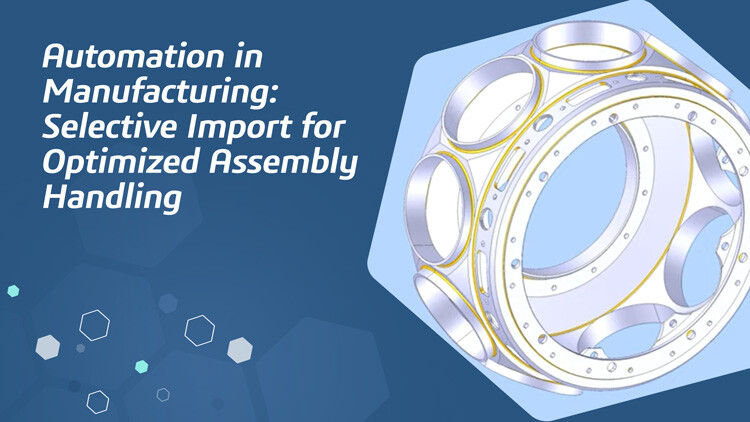
Selective Import API

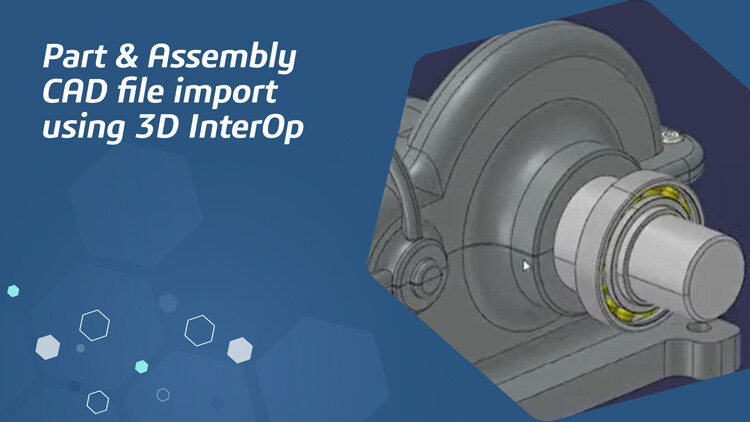
Incrementally import CAD data as individual containers, including product structure, tessellated geometry, exact geometry and manufacturing information, as needed by your application workflows.
Group (50)

Geometry Repair

Automated healing and advanced operators like stitching and re-surfacing produce topologically valid solid models robust for downstream workflows.
icon-296-CAO3D

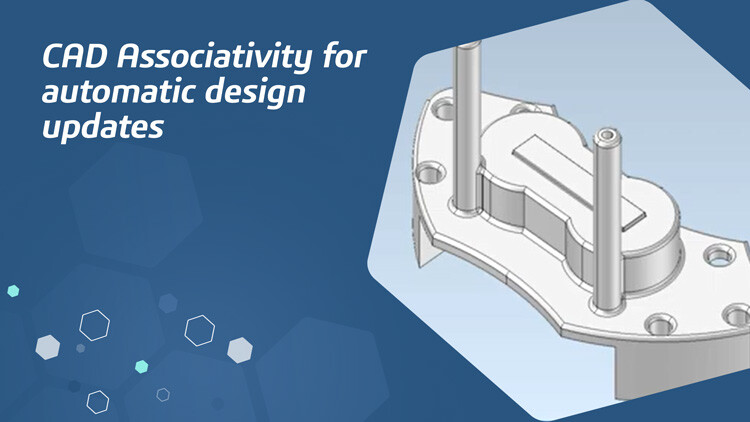
CAD Associativity

Import stable CAD topological identifiers to allow your application to capture and track design changes to regenerate downstream features.
Group 203

Product Manufacturing Information (PMI)

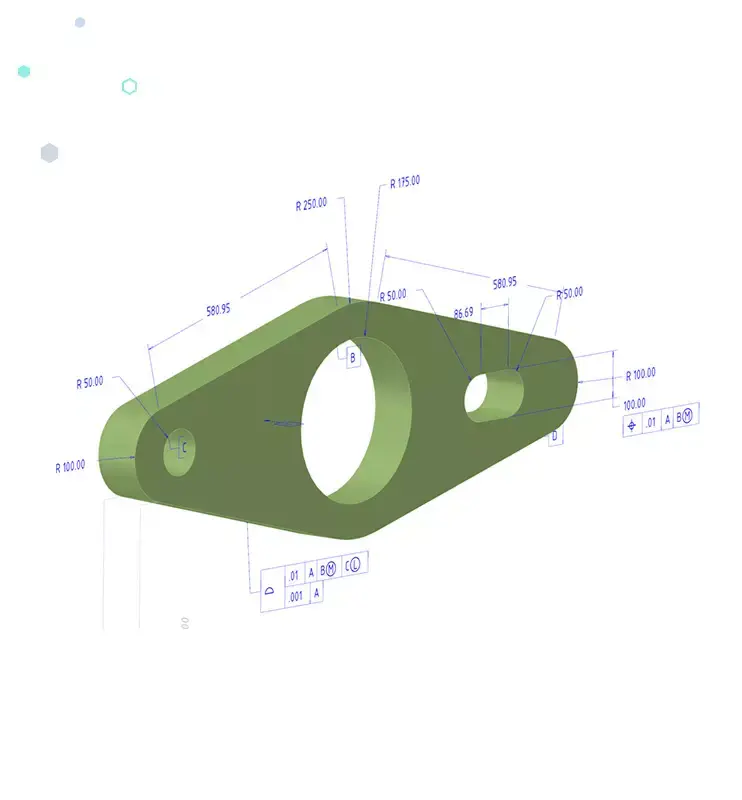
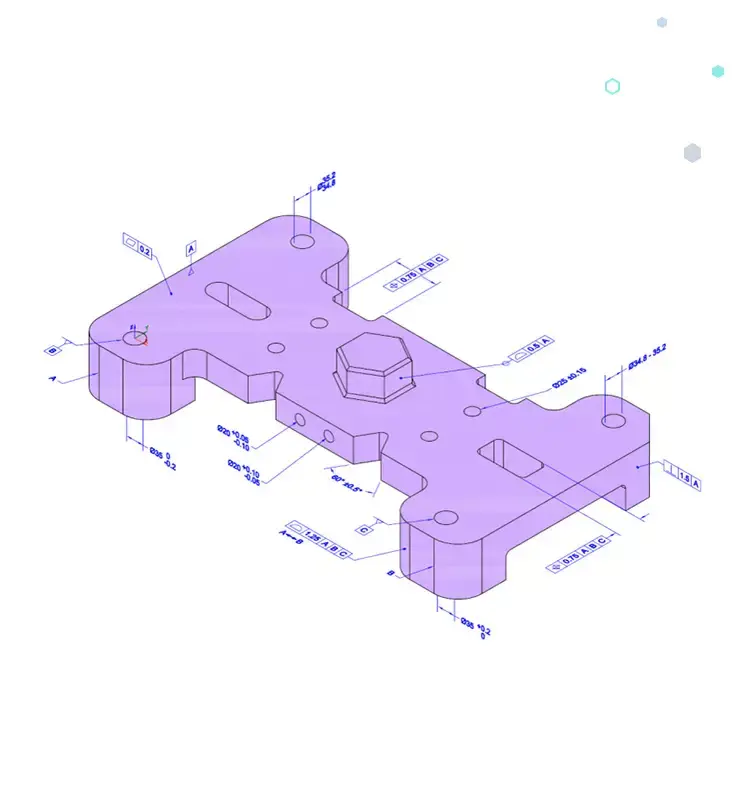
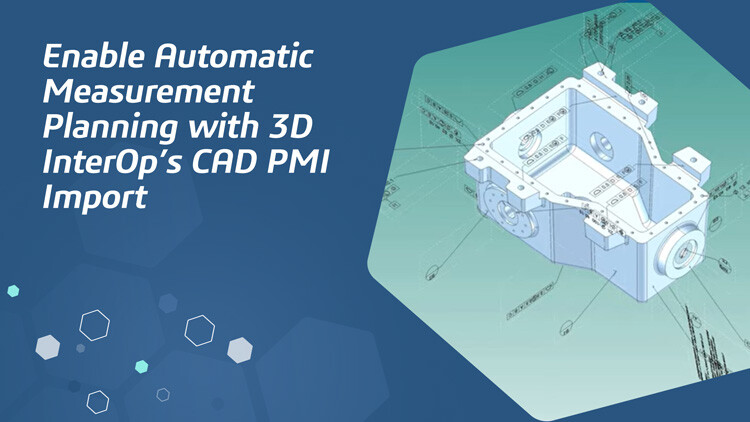
3D InterOp supports PMI in graphical and semantic form with full geometrical associativity, enabling engineering reviews and process automation for manufacturing and measurement.
Group (53)

Concurrent Import

3D InterOp leverages modern hardware by using multiple threads and processes to provide imported data more quickly than ever.
Group (38)-1

A Unified Implementation

With an abstract interface, 3D InterOp enables applications to add new formats with consistent behavior across metadata at no development cost.
Group (55)

Construction Industry-Specific Formats

With support for major industry formats for AEC, BIM and plant design, 3D InterOp enables your applications to cover the entire construction project’s lifecycle.

Why Use 3D InterOp?

Highest Quality for Applications

3D InterOp generates native geometry for ACIS, CGM and Parasolid, providing high-quality data and ensuring the success of downstream operations. Reducing or eliminating these downstream data problems results in greater user productivity and reduced risk.

Flexible and Performant

Load data when required by importing containers of your choice to deliver optimal user experiences. 3D InterOp’s selective loading capabilities allow for the incremental import of CAD data, including product structure, tessellated geometry, exact geometry and manufacturing information.

Consistent Optimization

With two major releases per year and minor weekly updates, 3D InterOp ensures the quickest turnaround time to support newer format versions. Formats for CATIA V5 and SolidWorks are updated consistently, covering approximately 50% of the CAD models exchanged in the industry.

Proven, Trusted and Successful

Major industry players across various segments, including design, engineering, manufacturing, robotics and metrology, trust 3D InterOp for their interoperability software needs. With customers including Intergraph, Carl Zeiss, ANSYS and Siemens, 3D InterOp is proven in diverse applications.

Reuse Metadata from Different Sources

Beyond geometry, 3D InterOp imports associated metadata, enabling application workflow automation. Importing data like manufacturing information makes 3D InterOp an established solution for millions of users across several industries.

Best- in- Class Customer Relations

Spatial maintains a superior connection with customers, continuously driving 3D InterOp's evolution based on feedback and support needs. With regular hotfixes and major updates, Spatial ensures customers receive timely solutions to issues and support for the latest CAD versions.

Get Started Quickly

In addition to expert guidance from our support and services staff, 3D InterOp provides complete documentation of C++/C# interfaces and sample implementations. A JavaScript-based application (3DScript) is also available for quick prototyping and debugging. This comprehensive support enables customers to quickly integrate and utilize 3D InterOp, resulting in successful deployments.

Related content

Featured Case study Webinars
resource image
Ebooks whitepaper 3d interoperability Shipbuilding Interop

The Second Life of Data: How 3D InterOp From Spatial Powers Data Reuse

Understand model repair and validation, its impact on modeling operations, and detailed test results.

Read now
Ebooks whitepaper/ 3d interoperability/ Cad/ 3d interop

Solving the Inherent Problems Associated with CAD Data Exchange

Learn about the best CAD file interoperability solutions, the importance of accurate data exchange, and applications in design, analysis, manufacturing, and measurement.

Webinar/ 3d modeling/ Cad/ 3d interop

Enable Auto-Merge of CAD Design Updates

Discover how your 3D application can allow seamless, iterative collaboration between multiple users with CAD Associativity.

host image
Hosted by Julian Varghese
Ebooks whitepaper/ 3d interoperability/ Cad/ Cgm

Healing as an Essential Function: Preserving Design Intent in 3D Models

Discover the importance of 3D model healing, pre-healing actions by 3D InterOp, and the healing process.

Webinar/ 3d modeling/ Cad/ 3d interop

Enable Auto-Merge of CAD Design Updates

Discover how your 3D application can allow seamless, iterative collaboration between multiple users with CAD Associativity.

host image
Hosted by Julian Varghese
Ebooks whitepaper/ 3d interoperability/ Cad/ 3d interop

Solving the Inherent Problems Associated with CAD Data Exchange

Learn about the best CAD file interoperability solutions, the importance of accurate data exchange, and applications in design, analysis, manufacturing, and measurement.

Webinar/ 3d modeling/ Cad/ 3d interop

Enable Auto-Merge of CAD Design Updates

Discover how your 3D application can allow seamless, iterative collaboration between multiple users with CAD Associativity.

host image
Julian Varghese
Ebooks whitepaper/ 3d interoperability/ Cad/ Cgm

Healing as an Essential Function: Preserving Design Intent in 3D Models

Discover the importance of 3D model healing, pre-healing actions by 3D InterOp, and the healing process.

Webinar/ 3d modeling/ Cad/ 3d interop

Enable Auto-Merge of CAD Design Updates

Discover how your 3D application can allow seamless, iterative collaboration between multiple users with CAD Associativity.

host image
Julian Varghese
resource image
Case study 3d modeling Robotics Cgm

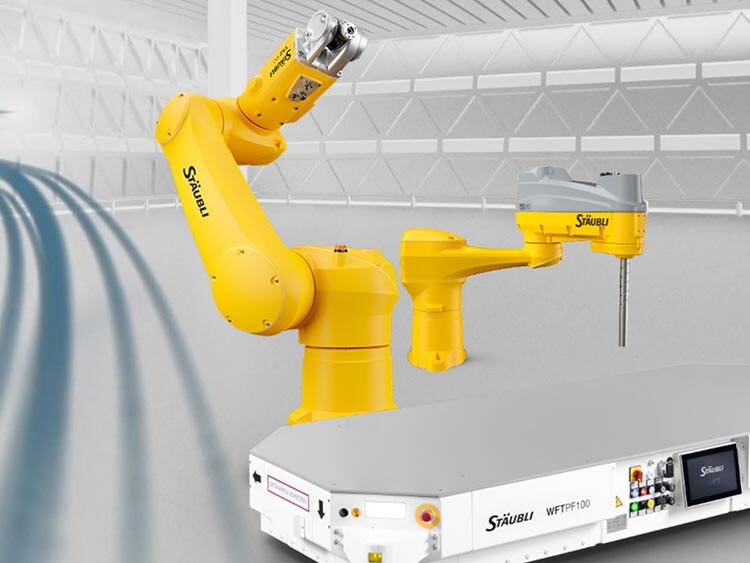
Stäubli Elevated Their Offerings and Capabilities with Spatial's SDKs

Stäubli Robotics Suite 2022 offered optimized features for complex automation scenarios, enabled by Spatial’s CGM Modeler.

Read now
Case study/ 3d interoperability/ Robotics/ Acis

ABB's Programming Without Shutting Down Production

ABB’s Robotics Division used RobotStudio software for PC-based robot programming, boosting productivity without production shutdowns.

Case study/ 3d interoperability/ Metrology/ 3d interop

LK Metrology Future Proofed their Application

LK Metrology was on a quest to maintain precision for their Coordinate Measuring Machines. They improved core application functionality through a development partnership with Spatial.

Case study/ 3d meshing/ Cad/ Acis

FVA Accelerated Support for New and Updated CAD Formats

FVA's solutions served the driveline industry with software capable of sophisticated simulations and detailed analyses of gearbox components.

Case study/ 3d modeling/ Manufacturing/ Acis

Renishaw Drastically Reduced the Need for STL File Healing

Renishaw integrated Spatial SDKs into QuantAM 2017, enabling users to build parts correctly the first time, preserving original design intent.

Case study/ 3d interoperability/ Robotics/ Acis

ABB's Programming Without Shutting Down Production

ABB’s Robotics Division used RobotStudio software for PC-based robot programming, boosting productivity without production shutdowns.

Case study/ 3d interoperability/ Metrology/ 3d interop

LK Metrology Future Proofed their Application

LK Metrology was on a quest to maintain precision for their Coordinate Measuring Machines. They improved core application functionality through a development partnership with Spatial.

Case study/ 3d meshing/ Cad/ Acis

FVA Accelerated Support for New and Updated CAD Formats

FVA's solutions served the driveline industry with software capable of sophisticated simulations and detailed analyses of gearbox components.

Case study/ 3d modeling/ Manufacturing/ Acis

Renishaw Drastically Reduced the Need for STL File Healing

Renishaw integrated Spatial SDKs into QuantAM 2017, enabling users to build parts correctly the first time, preserving original design intent.

resource image
Webinar 3d modeling Cad Agm

Accelerate your 3D Application’s Development with AGM

Learn how you can significantly speed up your application’s development with AGM’s extensive, out-of-the-box, advanced code base.

Read now
Ebooks whitepaper/ 3d visualization/ Robotics/ Hoops

8 Reasons Why Developers Switch to HOOPS Visualize

Learn why companies transition from homegrown graphics solutions to HOOPS Visualize and what the switch entails.

Webinar/ 3d meshing/ Simulation/ Cgm

Make Data Preparation for Simulation Easy

Discover how to easily add simulation to your application or automate interface detection in CHT or CFD simulation applications.

host image
Hosted by Shweta Singh
Webinar/ 3d meshing/ Cam / Cgm

Expand the Scope of Your Application to Enable Hybrid Manufacturing

Discover how to handle both CAD and scanned data for hybrid manufacturing.

host image
Hosted by Shweta Singh
Webinar/ 3d modeling/ Manufacturing/ Cds

Bring Your Assembly Modeling to Life with Parametric Constraint Management

Learn how you can enable constraint management and assembly modeling in your 3D application with Spatial’s Constraint Design Solver SDK.

host image
Hosted by David Hornsby
Ebooks whitepaper/ 3d visualization/ Robotics/ Hoops

8 Reasons Why Developers Switch to HOOPS Visualize

Learn why companies transition from homegrown graphics solutions to HOOPS Visualize and what the switch entails.

Webinar/ 3d meshing/ Simulation/ Cgm

Make Data Preparation for Simulation Easy

Discover how to easily add simulation to your application or automate interface detection in CHT or CFD simulation applications.

host image
Shweta Singh
Webinar/ 3d meshing/ Cam / Cgm

Expand the Scope of Your Application to Enable Hybrid Manufacturing

Discover how to handle both CAD and scanned data for hybrid manufacturing.

host image
Shweta Singh
Webinar/ 3d modeling/ Manufacturing/ Cds

Bring Your Assembly Modeling to Life with Parametric Constraint Management

Learn how you can enable constraint management and assembly modeling in your 3D application with Spatial’s Constraint Design Solver SDK.

host image
David Hornsby