Technical Explanation
What does STP mean?
STEP is the informal name for ISO 10303, a family of standards for representing and exchanging product data. Its scope is broader than older geometry-focused formats such as IGES because STEP was designed to support a wider range of product-related information across the product lifecycle, not just pure geometric exchange.
What is an .STP file used for?
STP files are primarily used to exchange models between CAD, CAM, CAE, and related engineering systems. Because the format is neutral, it is especially useful when suppliers, customers, or internal teams work in different software environments but still need to share product data in a reusable form.
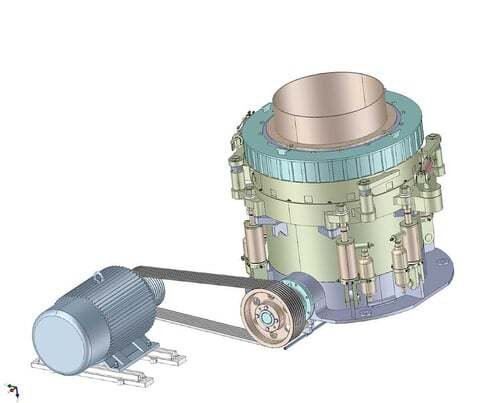
What is actually inside an STP file?
In day-to-day CAD usage, an STP file is usually a Part 21 STEP physical file, defined by ISO 10303-21. It is a clear-text exchange format for data that conforms to a schema written in the EXPRESS modeling language, and STEP files commonly use the .stp, .step, or sometimes .p21 extension.
A STEP file is structured into sections, typically including a mandatory HEADER section and one or more DATA sections. The header identifies the file description, file name, and schema, while the data section contains the actual model instance as a sequence of typed entities and references.
What kind of data can it contain?
An STP file can contain much more than raw geometry. Depending on the schema and application protocol used, STEP data can cover mechanical design, assemblies, configuration and product-definition data, product manufacturing information, kinematics, long-term archiving data, documentation references, and other engineering information.
The exact content depends on the application protocol. Common STEP protocols include AP203, AP214, and AP242, with AP242 being one of the main modern protocols for managed model-based 3D engineering and widely deployed in major CAD ecosystems.
How to open an STP file in your program
To open or view the contents of an STP file, you will need to import it into a program that can read and translate the file into a native format.
Note that every application is different and you should check the developer's website for instructions for opening .stp files.
👉 Read also: How to view STP files in AutoCAD.
What programs open STP files?
Opening an STP file requires 3D modeling software that supports the STEP file format or an STP viewer. Some popular software programs that can open an STP file are:
- Autodesk Fusion 360
- Dassault Systemes CATIA
- Dassault Systemes SolidWorks
- Siemens Solid Edge
- IMSI TurboCAD
- Kubotek KeyCreator
- FreeCAD
- ABViewer
- ShareCAD
- eMachineShop
Applications and industry use cases
STP files are widely used for multi-CAD collaboration, supplier exchange, manufacturing handoff, simulation preparation, model-based engineering, and long-term archiving. They are especially valuable when an engineering organization needs to move product data across different authoring systems without depending on one native CAD platform.
For software developers, STP support matters in CAD import/export pipelines, geometry viewers, translation services, digital thread applications, and tools that need to preserve both geometry and higher-level engineering information such as PMI, structure, or configuration data.
Challenges or common pitfalls
A common misunderstanding is to treat every STP file as if it contained the same kind of data. In reality, STEP is a family of standards, and the actual information available in a file depends on the schema and application protocol used. A file written for one engineering purpose may not contain everything another workflow expects.
Another pitfall is assuming that neutral exchange automatically guarantees perfect interoperability. NIST's STEP tooling exists partly because implementations need recommended practices and conformance checking, especially for areas such as PMI representation, PMI presentation, and validation properties. Those recommended practices are not the same thing as the core ISO schemas.
Syntax and data-quality issues can also break downstream processing. NIST's STEP File Analyzer documents problems such as missing or extra attributes, unresolved references, illegal characters, and other syntax issues that can prevent software from processing a STEP file correctly.
How Spatial helps
We support STEP workflows through our 3D InterOp SDK. 3D InterOp reads STP files and builds internal geometry that your application can work with as if the data were created natively. We also write STEP output, including STEP AP 242 with graphical PMI, so your users can export annotated models for collaboration with manufacturing engineers or suppliers.
On the import side, we apply automatic healing before the translated data reaches your application. STEP files regularly arrive with geometry and topology problems accumulated from previous exchanges or authoring-system quirks. Our healing pipeline addresses these during translation:
- Topology repair: removing duplicate and overlapping vertices, splitting edges with large discontinuities, and fixing loop errors.
- Geometry refinement: reconstructing self-intersecting or irregular curve and surface geometry so it conforms to the rules of your target modeling kernel. The healing process does not alter the intended shape of the original model.
- Stitching and gap closure: extending adjoining surfaces and recomputing intersections to close gaps between adjacent faces, producing topologically valid solid models ready for downstream operations.
This matters because geometry defects that slip through translation cause failures later in the workflow, whether that is meshing, simulation, manufacturing, or even just viewing. Healing the data at import time reduces those problems before your users ever encounter them.
Beyond geometry, 3D InterOp imports associated metadata and product manufacturing information (PMI). We support PMI in both graphical and semantic form with full geometrical associativity, covering formats like CATIA V5, NX, Creo, SOLIDWORKS, STEP AP 242, and JT. This means your application can access dimensions, tolerances, GD&T, datum references, and annotations linked directly to the 3D geometry.
Our selective import API lets your application load only what it needs. You can import product structure, tessellated geometry, exact geometry, or manufacturing information independently, rather than pulling in the entire file. This gives you control over memory, performance, and what data actually reaches your users.
3D InterOp reads and writes more than 30 CAD, BIM, mesh, and visualization formats, so STEP handling can be one step in a larger pipeline that includes native CAD formats, neutral formats, and lightweight visualization formats.
Over 300 companies have used 3D InterOp across more than 20 years.
You can request an evaluation here.

-1.webp)



















.png?width=450&name=AdobeStock_188705270%20(2).png)
